Desktop app for Win and Mac

Quick Organizer 3
From chaos to organized files in just one click
Windows · macOS
Version 3.0.1
Free trial
One time purchase
Mind if we count your visit? It shows which pages actually help. We never sell it and there are no ads here. What we collect.
Desktop app for Win and Mac
From chaos to organized files in just one click
Try it right here
This is a demo of a messy downloads folder. Press the buttons the way you would in the app.
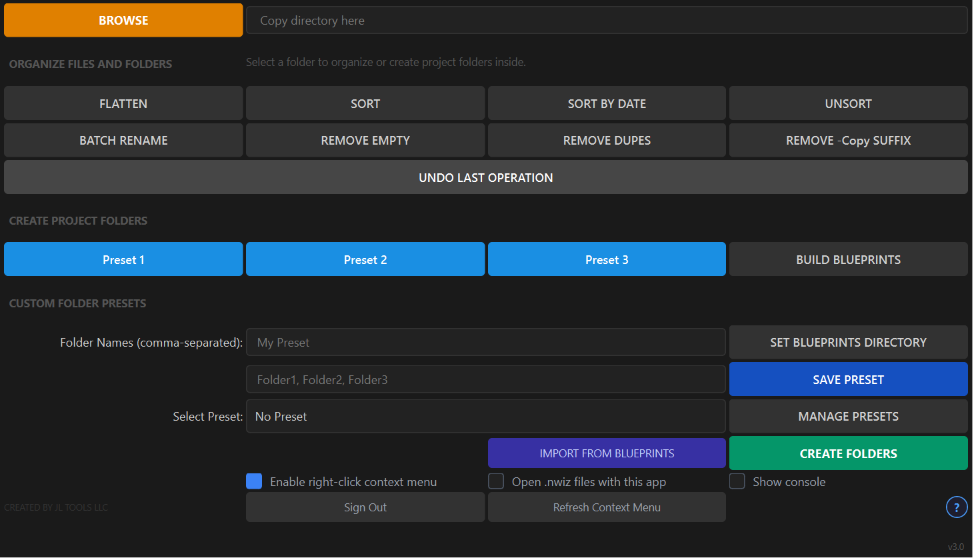
For demonstration purposes only: the real app's interface looks and works a little differently. SORT groups files by extension into category folders, and the app also saves folder presets, deploys Blueprints, and lives in your right click menu.
What's inside
Smart Blueprints
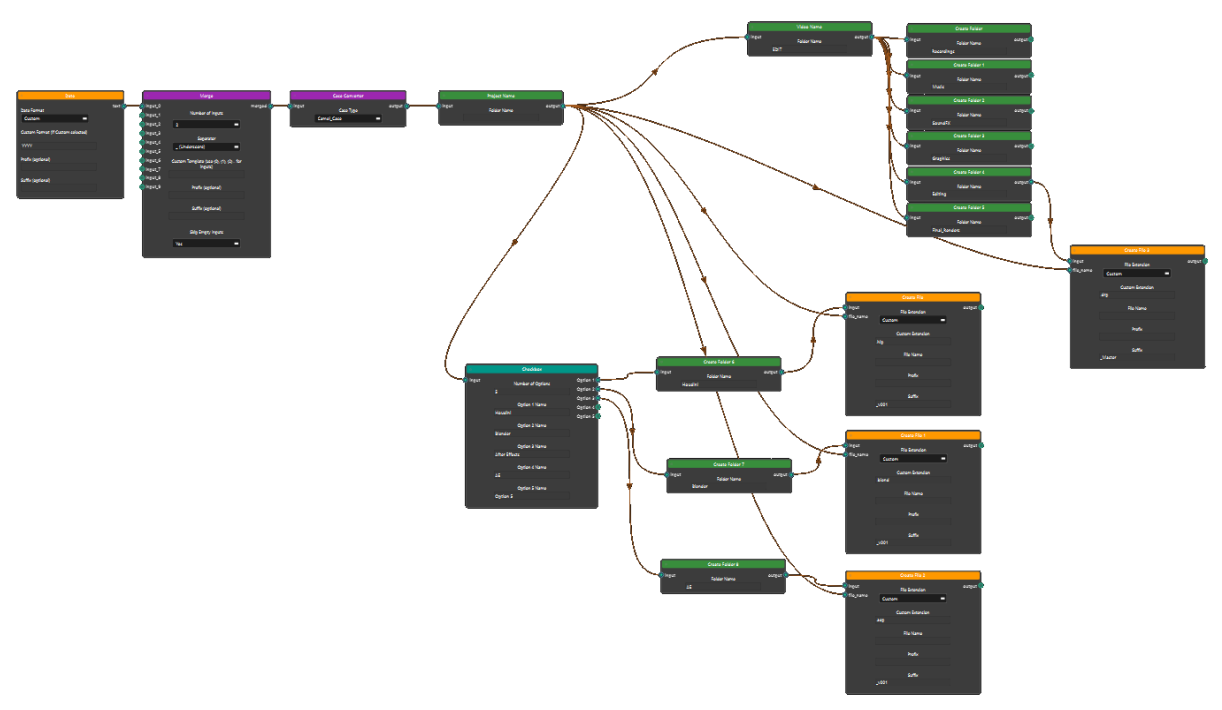
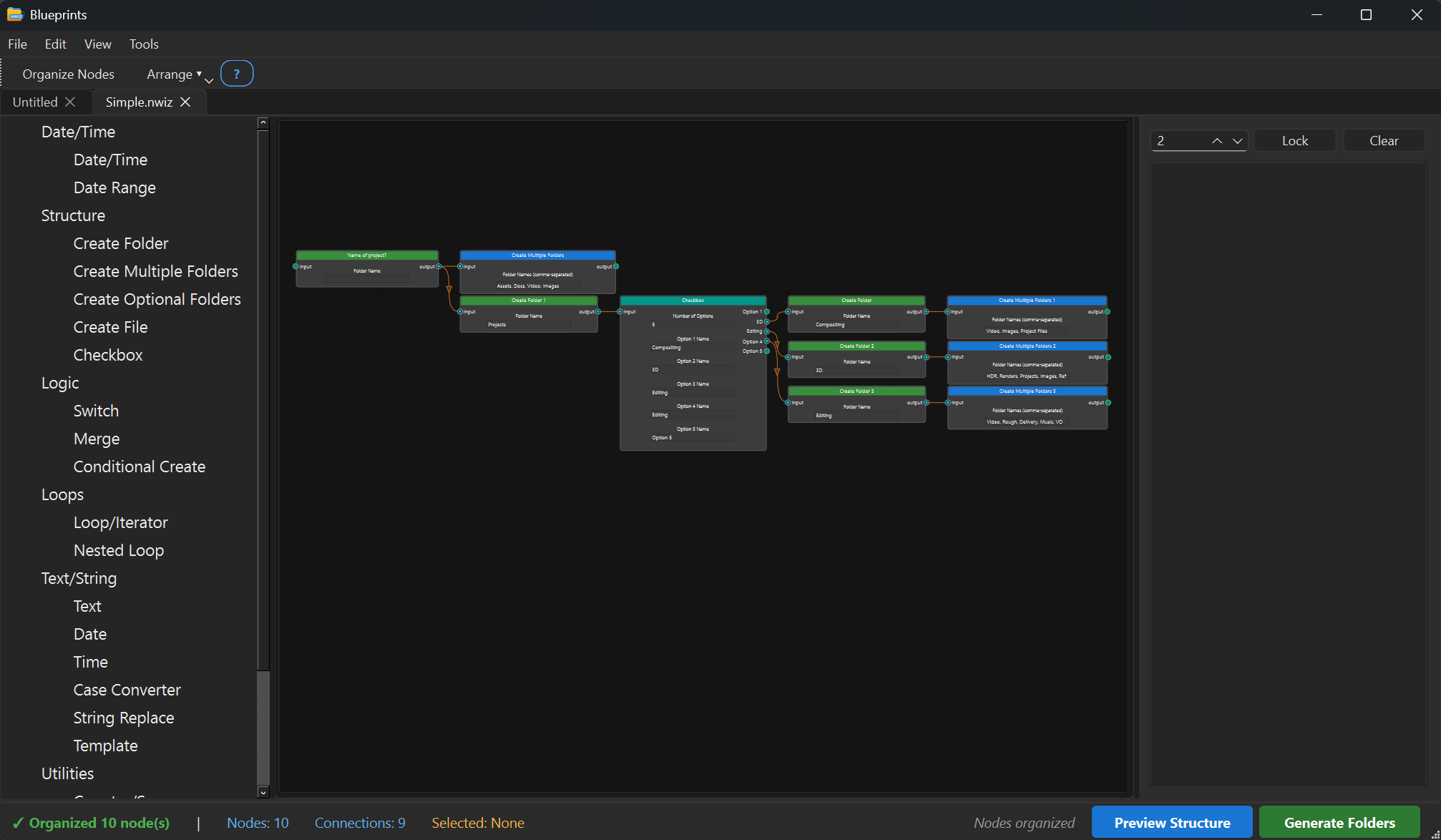
Pro includes a node based visual editor for branching folder structures. Watch one build below, then follow the steps and run it yourself.
Folders, files, dates, counters, switches and loops.
Checkbox nodes make whole branches opt in per project.
Asks only for the parts you made variable.
The whole tree lands in a single click.
The real editor has over 20 node types, from date stamps and counters to switches and nested loops.
Right click integration
Quick Organizer 3 lives in your right click menu in Windows Explorer. Flatten, sort, clean up, batch rename or jump straight into Blueprints on any folder, without opening the app first.
This menu is live: click an item and watch the demo folder react. You can also right click inside the demo explorer itself.
Batch Rename
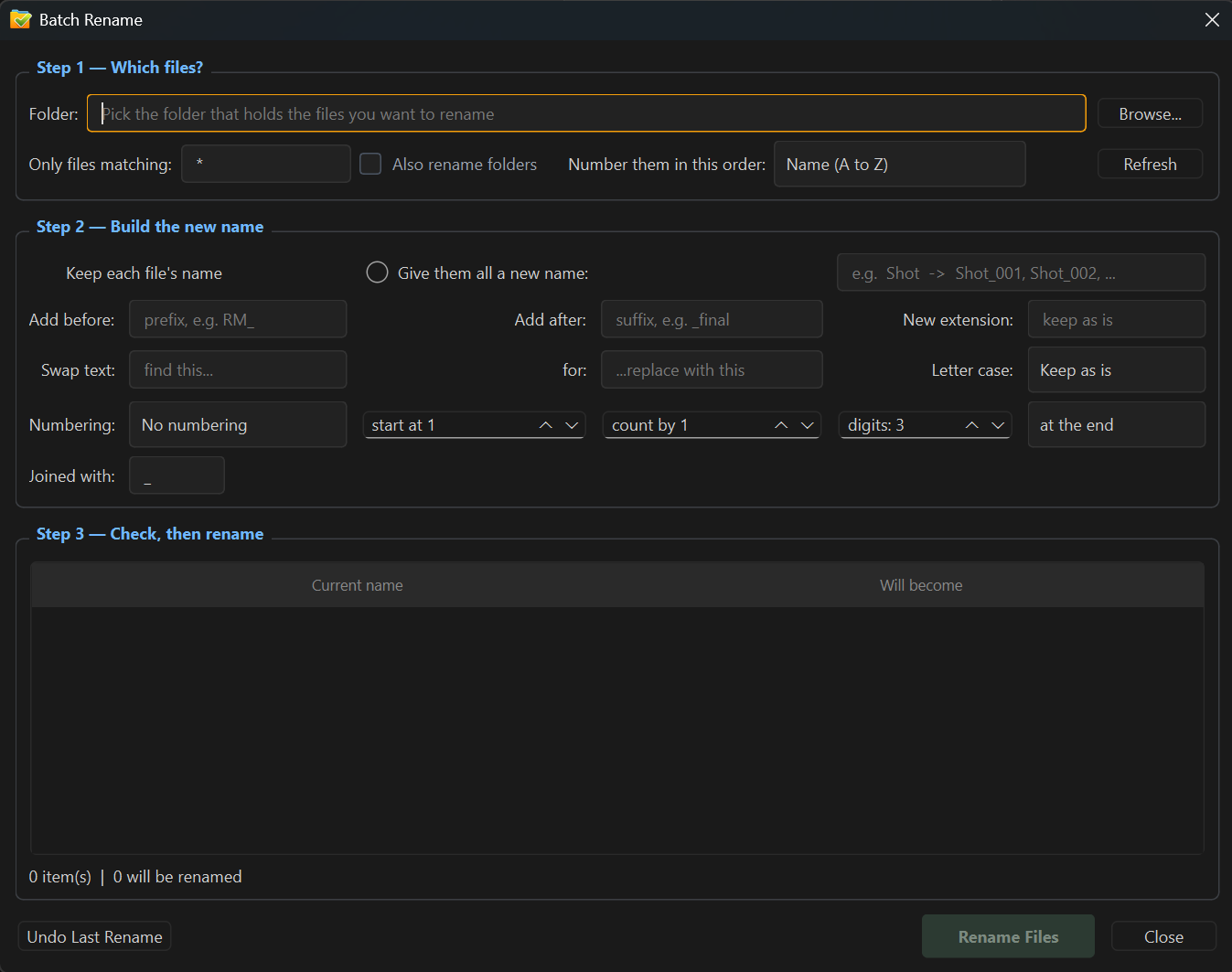
Prefixes, suffixes, numbering, letter sequences, case changes. You see every new name before anything is touched, and one click undo puts it all back.
Live preview. Nothing renames until you say so.
Inside the app
Downloads on Gumroad
brilliant!!!
BEST. PRODUCTIVITY. TOOL. PERIOD. You the man, Jorge!
All purchases are for your own use, personal or commercial. Reselling or redistributing any product, or modified versions of it, is strictly prohibited.